

How to Add Your Social Media to Your Google Business Profile?

Google Business Profiles have long allowed you to add links to your social media accounts. But over the past few weeks, this feature has gone from a “nice to have” to a local SEO signal you really shouldn’t ignore. Google is rolling out new features that pull directly from your social posts to enrich search results and your visibility.
Jump to the tutorialGoogle is now showing your posts on your Business Profile
Google recently launched what it calls the “Social Media Updates” carousel. In practice, your latest posts from connected social accounts can now appear directly on your Business Profile, visible to anyone searching for your business.
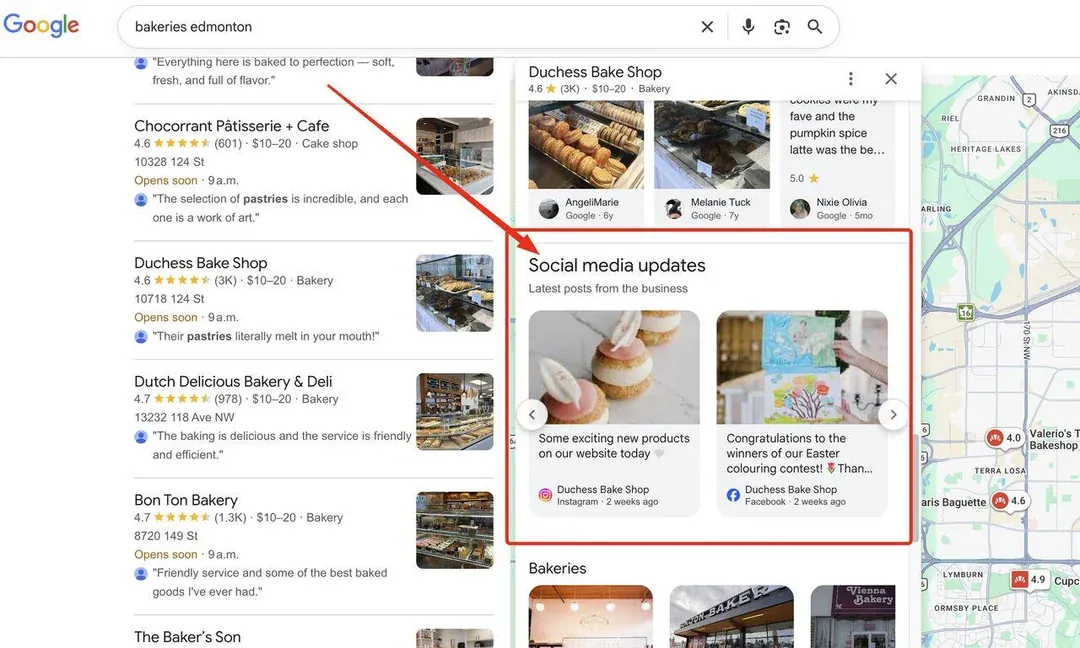
Google’s new “Social Media Updates” carousel displays your latest posts directly on your Business Profile. Source: reddit
The signal is clear: social media is now a core part of any local SEO strategy.
Here’s what you need to keep in mind for your posts to show up on your Profile:
- Connect your social profiles to your Business Profile (tutorial below).
- Stay active on your socials. Google needs recent content to display the carousel.
- Tip for AI visibility: post about your services, offers, and expertise, not just fun or educational content. The more clearly you describe what your business does, the easier it is for AI systems to understand you and recommend you.
Google is pulling your social data into search results
There’s something else worth knowing. Google has started showing information tags pulled directly from your social posts. It’s unclear how Google’s systems pull this data (AI analyzing the image? The alt text of the image? The descriptive text?), but these tags can say things like “Tonight: event” or “Today: special offer”, taken straight from your posts, as shown below.
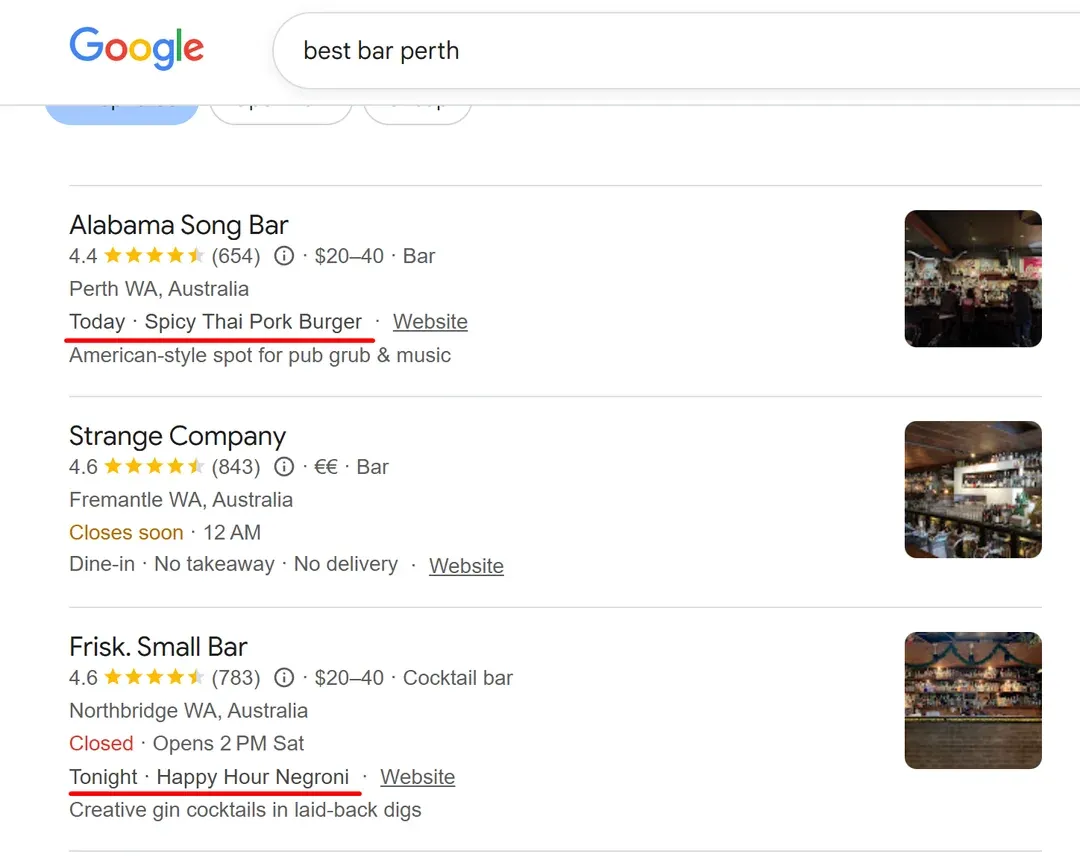
Google displays information from your social posts directly in search results. Source: reddit
It’s another clear signal: Google is actively reading your social profiles to better understand your business. If you haven’t connected your socials to your Business Profile yet, now is the time.
These two features appear to be rolling out gradually, currently limited to certain industries (restaurants in particular) and regions (North America).
How to Add Your Social Media to Your Google Profile
A few things to know before you start:
- You can add one link per platform. For example, one Facebook account and one YouTube account, but not two YouTube accounts.
- Changes are usually visible within 24 to 48 hours.
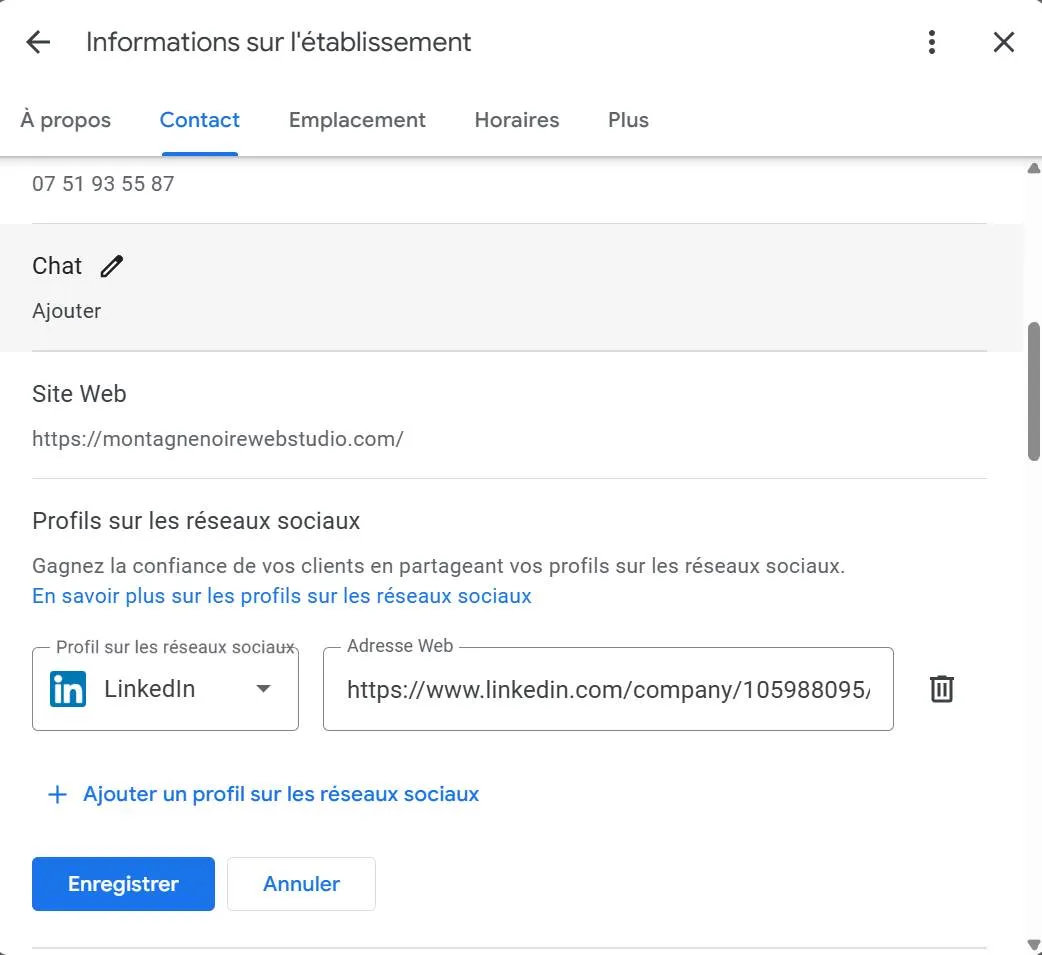
The social profile section in your Google Business Profile dashboard.
Here are the steps to follow:
- Go to your Google Business Profile.
- Click Edit profile, then Contact.
- Next to “Social profiles,” click the edit icon (pencil).
- From the “Social profile” dropdown, select the platform you want to add.
- In the “Web address” field, enter the link to your profile.
- To add more platforms, click Add social profile.
- Click Save.
Staying active matters just as much as connecting your profiles
Connecting your social profiles is a good start, but it won’t do much if your accounts are inactive. For the carousel and the search result tags to work, Google needs recent, regular content.
A few ideas for posts that can help your local visibility:
- Your services and what sets you apart from the competition
- Current offers and promotions
- Customer testimonials
- Business news and events
Want to go further with your local SEO? Check out our complete guide to ranking locally on Google.


